NotebookLM Mastery
Organise, summarise, and extract insights from
your documents with ease.
Improve Productivity
Better Decisions
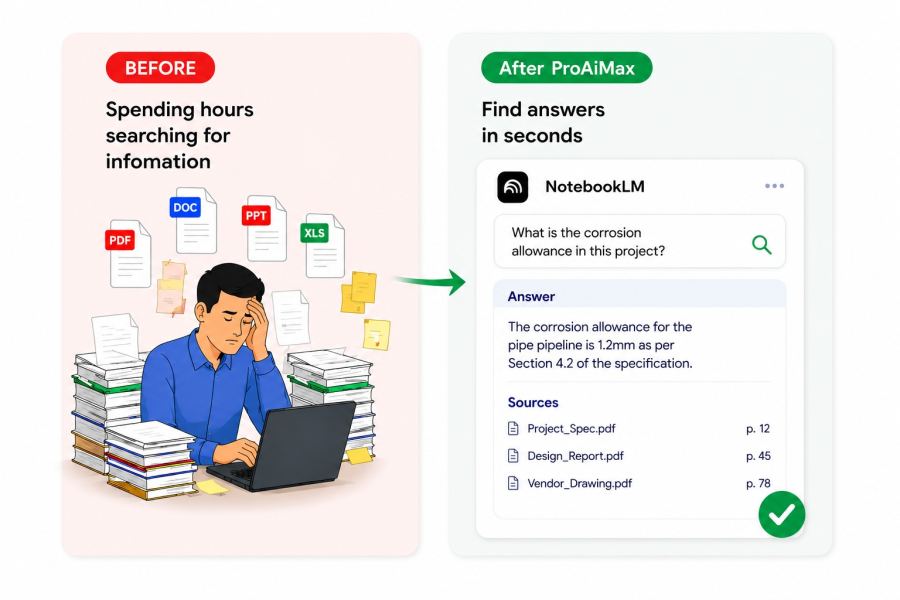
How It Works
1
Upload Knowledge Sources
Add PDFs, reports, manuals and reference documents
2
Ask Questions Naturally
Query your documents in plain language
3
Get Instant Insights
Receive accurate answers with source references
Key Takeaway
Organise, connect, and retrieve insights from large collections of documents using an intelligent knowledge workspace.
Example Scenario
You are asked about a specific clause from a document reviewed months ago. Instead of manually searching through folders, you retrieve the exact reference instantly and respond with confidence.
Practical Use Cases
- Searching across standards, manuals, and reports. Preparing for audits, reviews, and certifications. Cross-referencing information across disciplines. Building a personal technical knowledge base.
Outcome You'll Feel
You always know where to find the right information when it matters most.
Tools Used
Software and platforms covered in this module
- NotebookLM