Screen Recording for Meetings, Presentations & Training
Record, review, and share your
sessions seamlessly
Improve Knowledge Sharing
Train Effectively
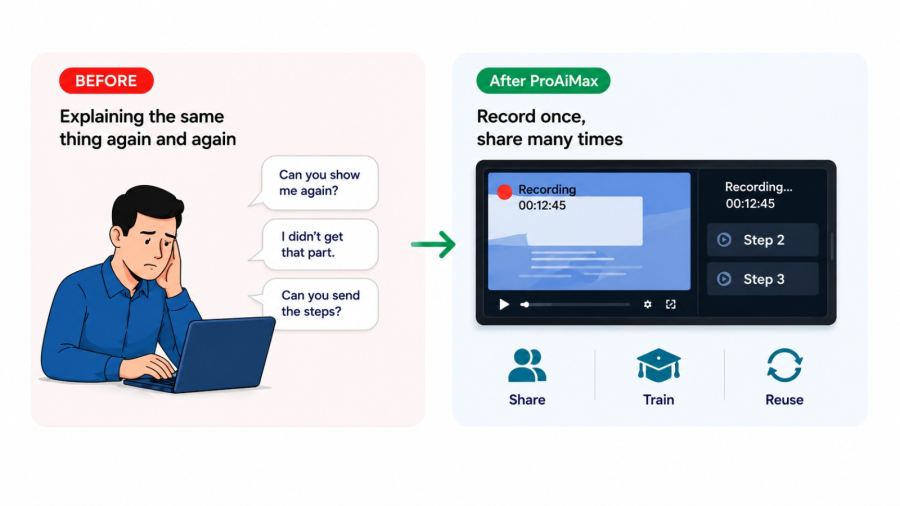
How it Works
1
Record Your Walkthrough
Capture your screen and explain the topic
2
Add Narration & Highlights
Make complex information easy to follow
3
Share & Reuse
Use the recording in meetings, training and presentations
Key Takeaway
Learn how to create short, focused videos that clearly explain workflows, procedures, and key references keeping meetings and training sessions smooth, structured, and impactful, without switching between multiple documents.
Example Scenario
During an important review meeting, you need to explain a point that refers to several documents. Instead of opening files and searching live, you prepare a short, recorded walkthrough in advance using a free, built-in screen recording capability. During the meeting, you play the clip as part of your presentation. The explanation is clear, controlled, and uninterrupted leaving a strong professional impression.
Practical Use Cases
- Creating internal training content. Explaining procedures and workflows. Demonstrating tools or processes. Building reusable knowledge assets
Outcome You'll Feel
You save time, communicate clearly, and are seen as organised, confident, and professional.
Tools Used
Software and platforms covered in this module
- Free
- Built-in tools