Voice Dictation and Copilot Editing
Dictate, edit, and polish content faster
with AI assistance.
Improve Productivity
Better Communication
How It Works
1
Speak Your Ideas
Capture thoughts using voice dictation
2
Refine with Copilot
Improve grammar, clarity, and structure automatically
3
Create Professional Content
Generate polished documents, emails, and reports
Key Takeaway
Learn how to convert your spoken thoughts into clear, professional emails, reports, and technical documents using a free, built-in capability already available on your system then refine them instantly with intelligent editing assistance, available free of charge, 24/7.
Example Scenario
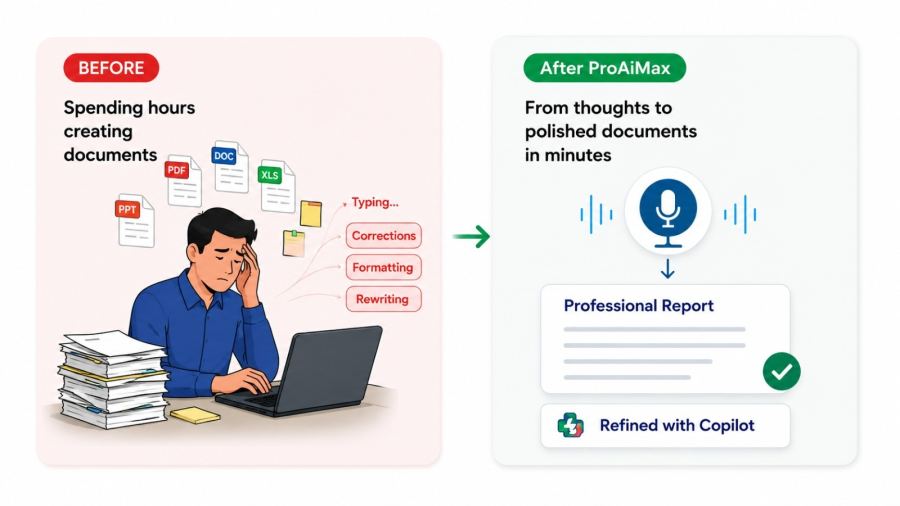
After a long site visit, you still need to complete multiple reports. Typing everything will take hours. Instead, you speak naturally and capture all your observations within minutes. Your raw content is then structured, refined, and polished into a professional document ready to share the same day.
Practical Use Cases
- Preparing site inspection and technical reports. Drafting emails and meeting notes quickly. Capturing ideas and technical reasoning hands-free. Refining raw text into formal documentation.
Outcome You'll Feel
You complete documentation faster, reduce fatigue, and express ideas clearly without spending hours typing.
Tools Used
Software and platforms covered in this module
- Free
- Built-in tools